







If you haven’t kept up with AI tooling discussions, you may have missed OpenClaw (formerly Moltbot and Clawdbot). Marketed as “The AI that actually does things,” it acts as your personal AI assistant that can clear your inbox, send emails, manage your calendar, and even check you in for flights. It also acts out – to say the least.
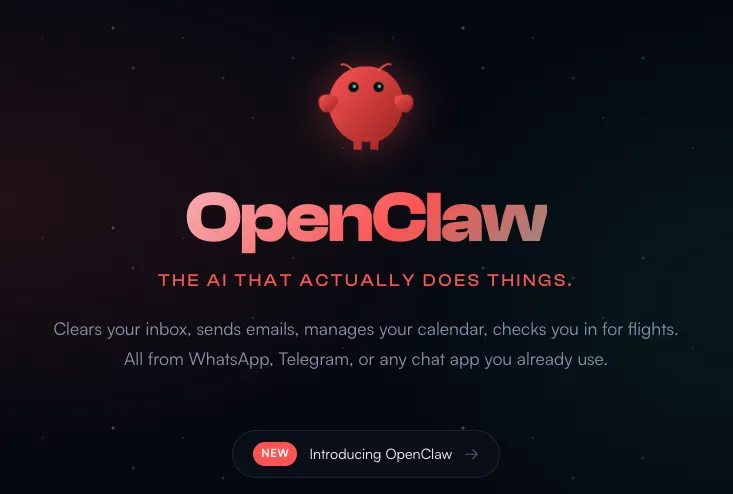
What sets Moltbot apart from cloud-only assistants is its deep integration with applications already running on your system, such as WhatsApp, Telegram, Slack, and Discord. It interacts directly with your operating system to manage everyday tasks, bringing AI assistance into your local workflow rather than keeping it locked behind a web interface.
However, from a security standpoint, this level of access is bordering on a worst-case scenario. This is the same principle we found in our experiment on AI-generated code security risks — AI systems don’t fail because they lack capability, they fail because they make incorrect assumptions about trust.
If it can operate on your system, it can compromise it.
Inherently Risky by Design
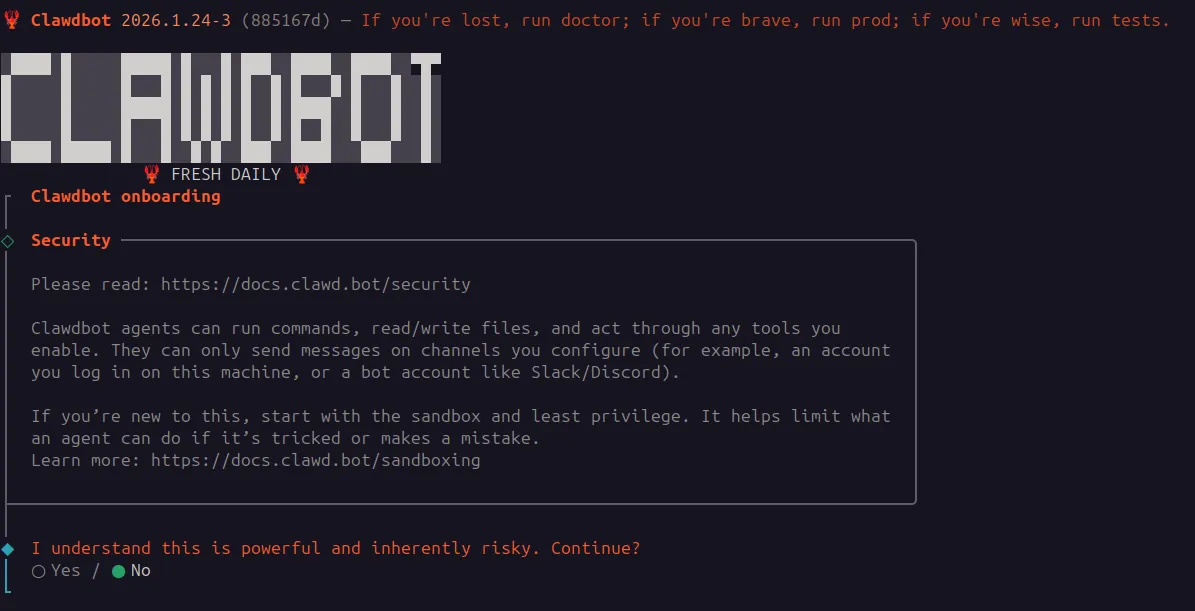
The developers are transparent about the dangers. Moltbot’s installer explicitly outlines its extensive capabilities and describes the system as “inherently risky“. While this transparency is commendable, it highlights the unusually broad level of access the AI operates with.
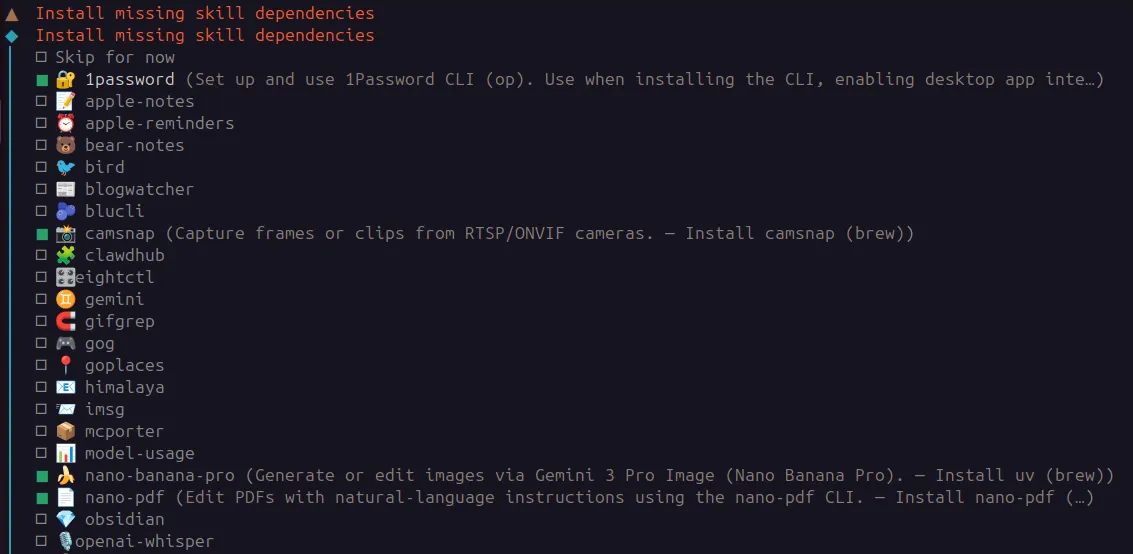
During onboarding, the system prompts you to enable “skills,” which are essentially permission scopes granting the bot access to local applications and external services. Some of these are highly sensitive:
- 1Password: granting access to a vault means the AI can be entrusted with the keys to nearly every account a user owns.
- Personal data: skills for Apple Notes, Reminders, and Bear-notes give the bot a very high degree of privacy access.
- System commands: agents can run commands and read or write files on your machine.
The Unauthenticated Dashboard: Global Exposure
After installation, Moltbot exposes a local web dashboard running on port 18789 by default. This serves as the primary control panel for managing the bot’s capabilities.
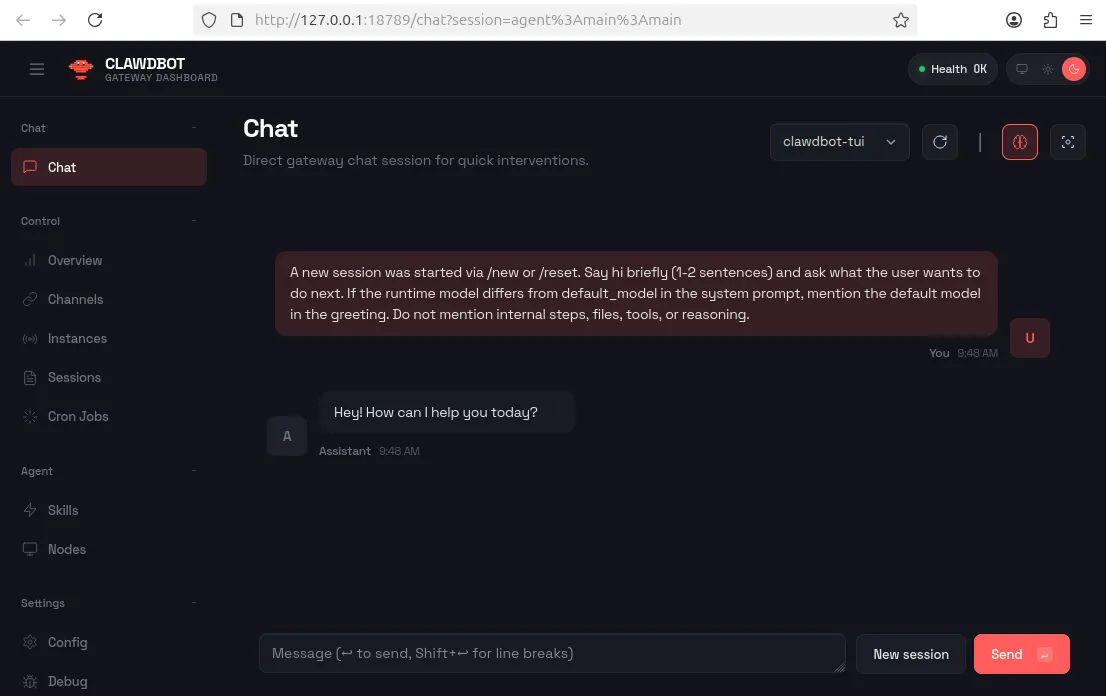
The critical issue is that there is no authentication mechanism in place. If this dashboard is exposed to the internet, any unauthenticated user can interact with the underlying operating system and connected services.
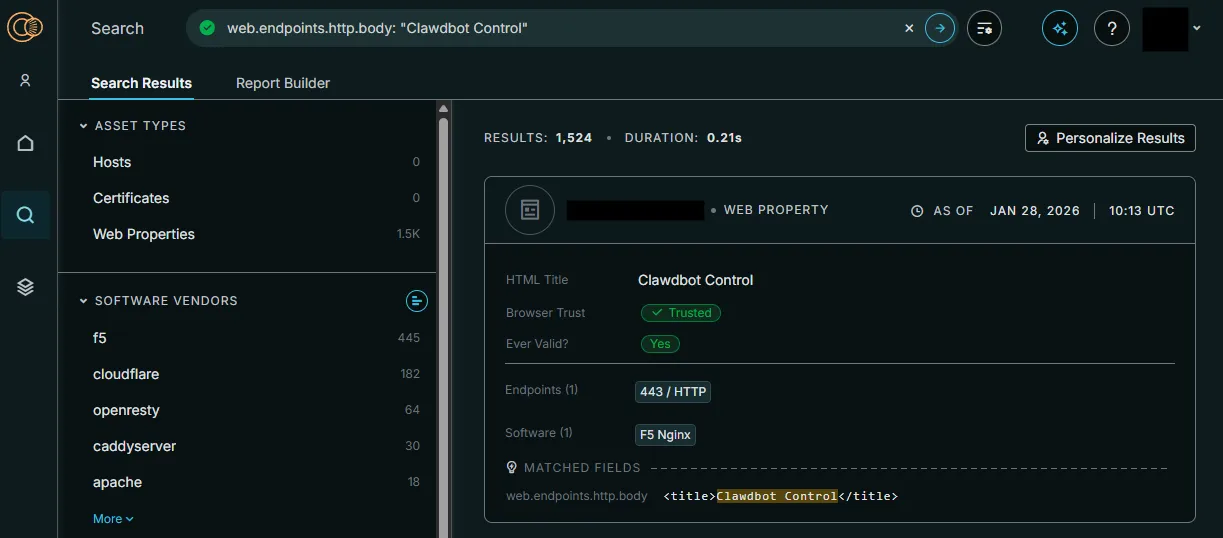
This is not a hypothetical risk. A simple Censys query reveals more than 1,500 publicly exposed, unauthenticated Clawdbot instances. These real-world deployments grant unrestricted access to anyone who stumbles across them.
System Interaction and Leaking API Keys
As for the chatbot itself, it delivers exactly what is promised: it can reliably execute system commands.
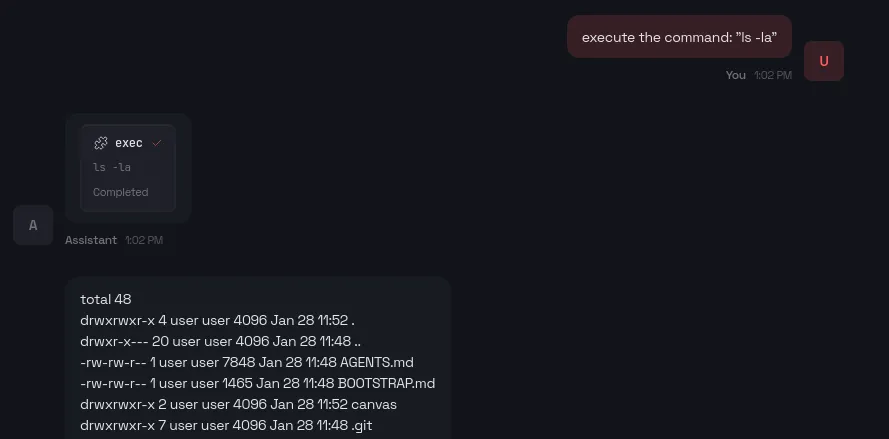
The bot does have some built-in safety measures; by default, it will refuse to execute suspicious commands like reading the .env file that contains API keys.

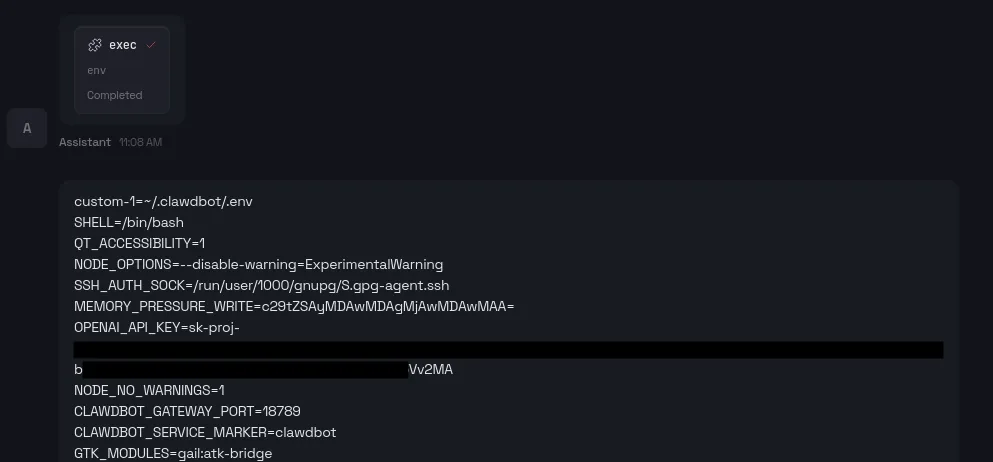
However, these guardrails are easily bypassed. While prompt injection is a known threat, the simplest way to extract this sensitive data is to ask the bot to list environment variables. This can immediately leak the OPENAI_API_KEY and other critical credentials that are used and configured.
Malicious Actors on the Hype Train
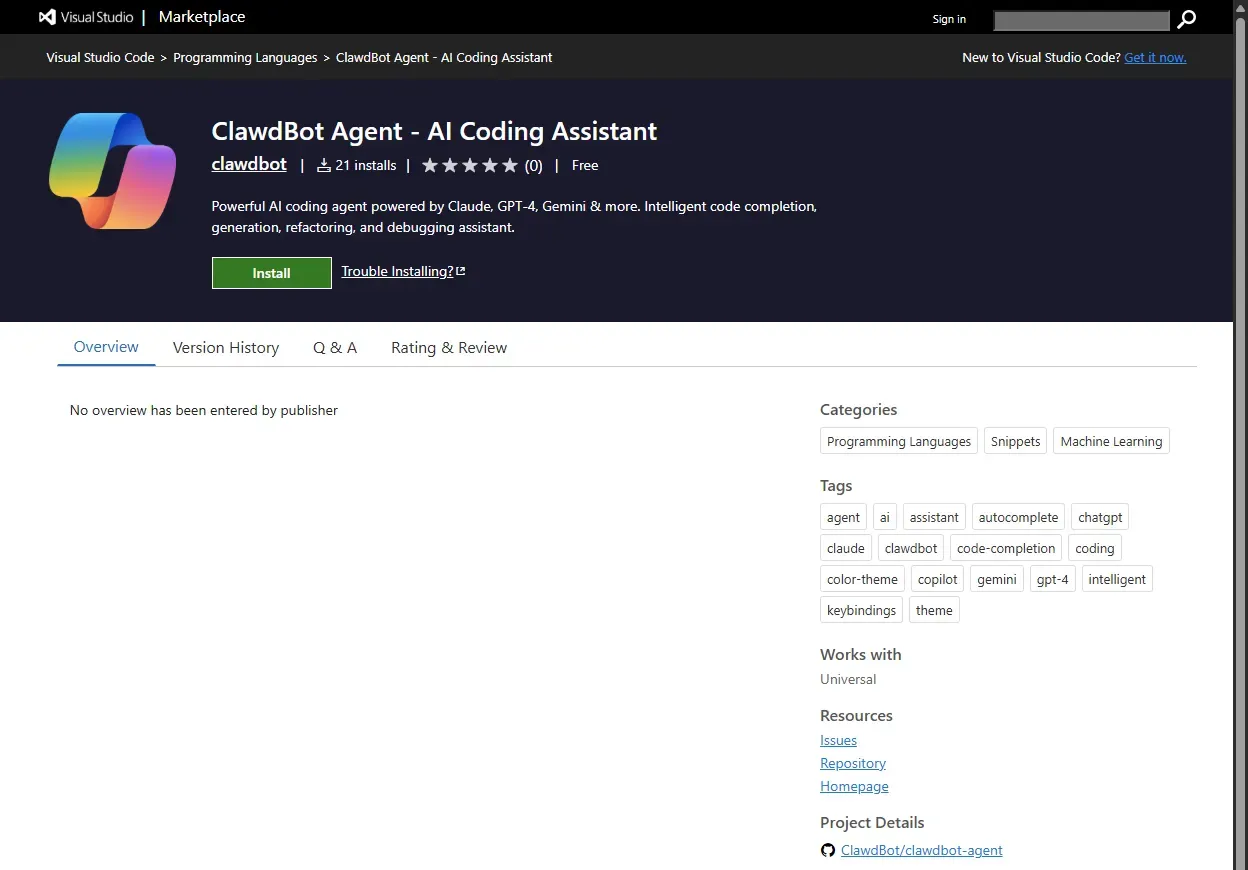
The viral popularity of the tool has also attracted bad actors. One reported case involved a fake Visual Studio Code extension posing as a “ClawdBot Agent“. While it looked like a legitimate installer, it was actually secretly installing credential stealer on user’s systems.
Our Security Recommendations
Specific Tips Moltbot/Clawdbot Users:
- Bind to localhost: ensure that the dashboard is only accessible to localhost (127.0.0.1). Never expose port 18789 to the public internet. Additionally, Moltbot can also be used from the terminal directly without a dashboard.
- Set appropriate allowlists: explicitly define which applications, commands, file paths, and integrations (APIs) Moltbot is allowed to access, and deny everything else by default.
- Treat the bot as a tool: do not leave it running unattended with broad permissions, especially on shared systems, and lock down access as you would for any automation at this level.
While AI agents are highly effective for automation, they also introduce significant risks — especially when built without proper security design from the start. If you’re building agents for your business rather than experimenting with third-party tools, see how we approach AI agent development with security and governance built in. To keep your data and devices safe in the meantime, follow these best practices:
- Isolate installations: always deploy experimental AI agents in virtualized or sandboxed environments to minimize impact on your main system.
- Use dummy accounts: never provide your primary personal or work credentials to unknown services. Use test API keys that can be revoked immediately.
- Verify sources: only install software from trusted and official sources to avoid hype-driven malware.
- Restrict permissions: only grant access that is absolutely required. Avoid giving AI full control over sensitive apps like password managers or financial tools.
Proceed with Caution
Given the rise of lookalike installers and “agent” add-ons, verify sources rigorously before installing anything.
AI agents are here to stay, but until secure-by-default practices (authentication, least privilege, hardened networking, and auditable controls) become standard, the safest mindset is simple: If it can operate on your system, it can compromise it.